
From your head
to the stand.
Music notation for the Mac that keeps up with you. You write in one mode, and the parts are ready when the score is.
Meridian, for orchestra, as Arietto engraves it: an example score.
Closed beta this autumn, for macOS.
- One modeWrite, shape the page and listen in the same window
- No log-inActivate once, then no account
- Two MacsA desktop and a laptop on one licence
- OfflineWrite anywhere, with nothing to wait for
Examples
See it at work.
Real screenshots of Arietto, writing example scores.
Writing
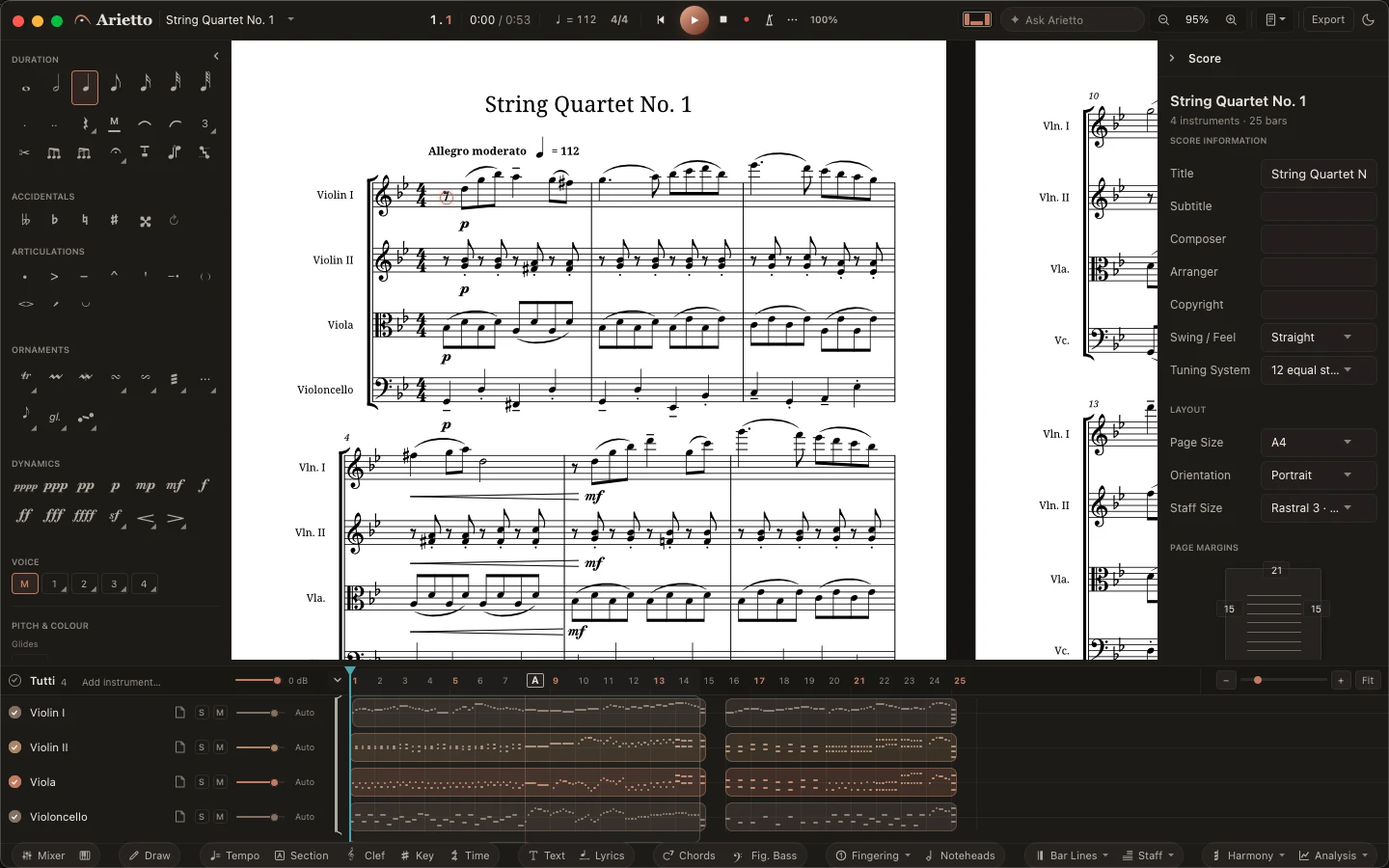
Write in one mode.
Notes, chords and rests from the keyboard, with the palette beside the page. You write, shape the page and listen in the same window.
Orchestra
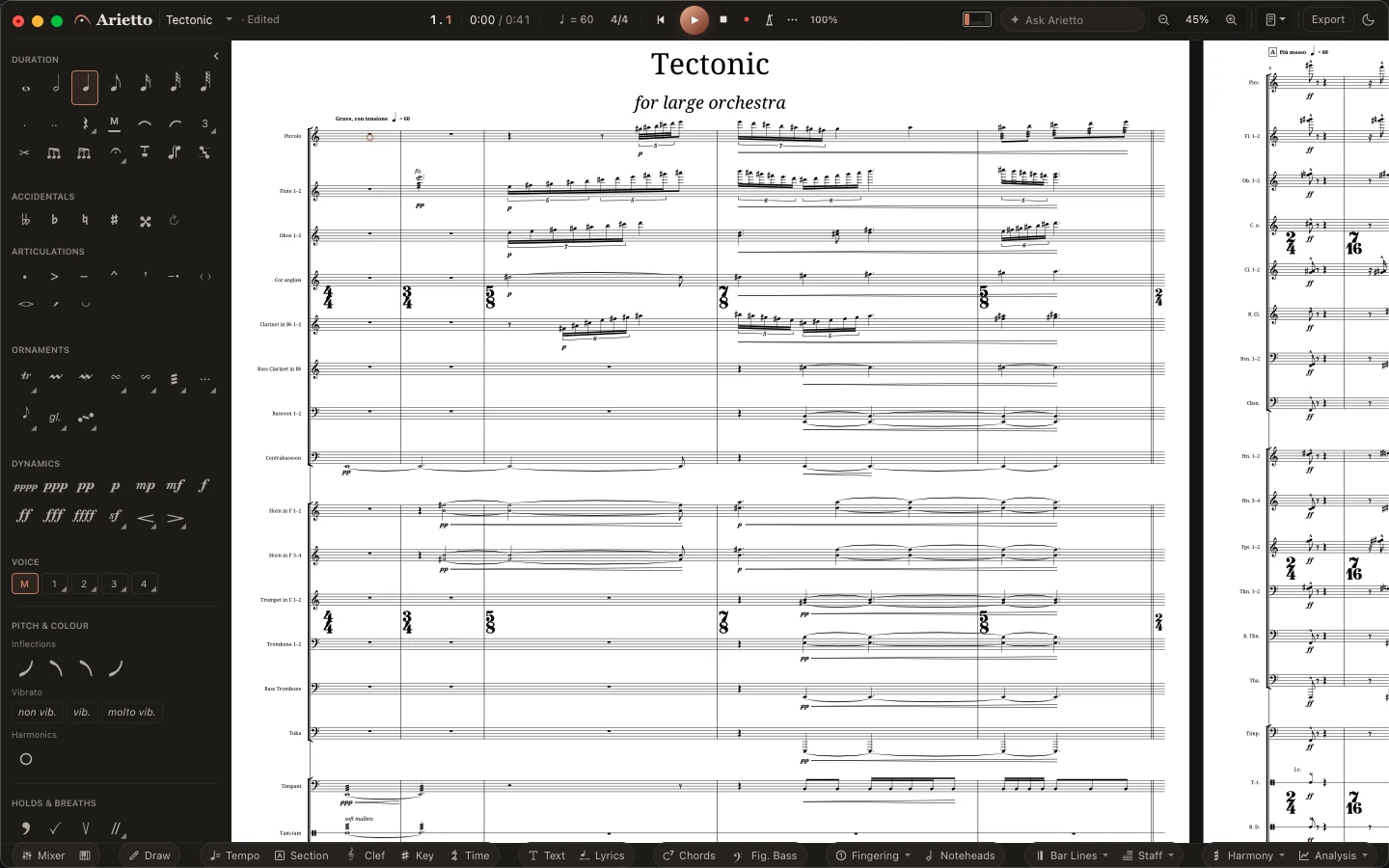
Large scores, read at a glance.
Twenty-seven staves and a new metre in almost every bar, with the time signatures set large across each group of instruments.
Brass band
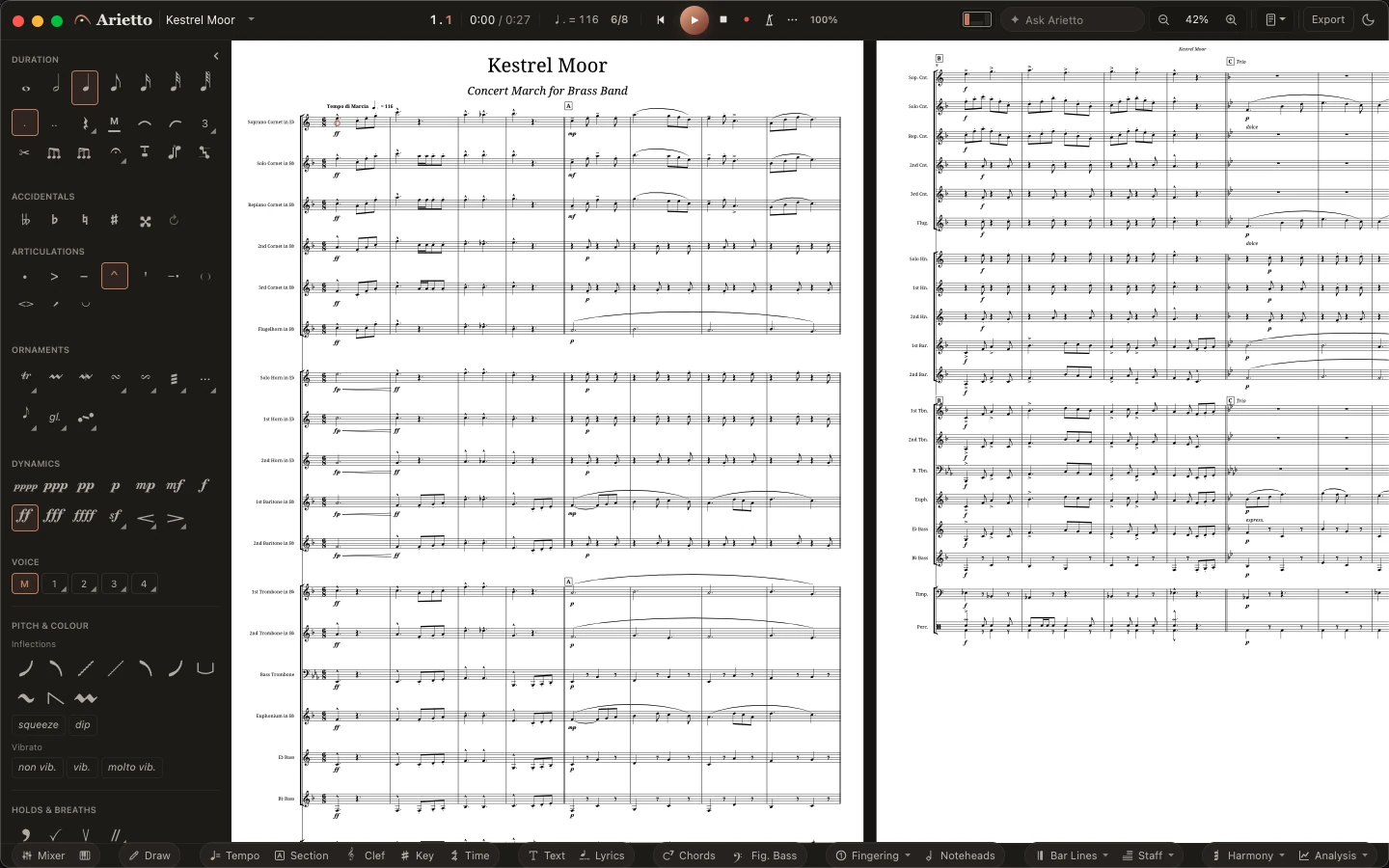
Every part in the key its player reads.
A concert march from soprano cornet to B♭ tuba, every part transposed, grouped and bracketed the way bands expect.
Jazz
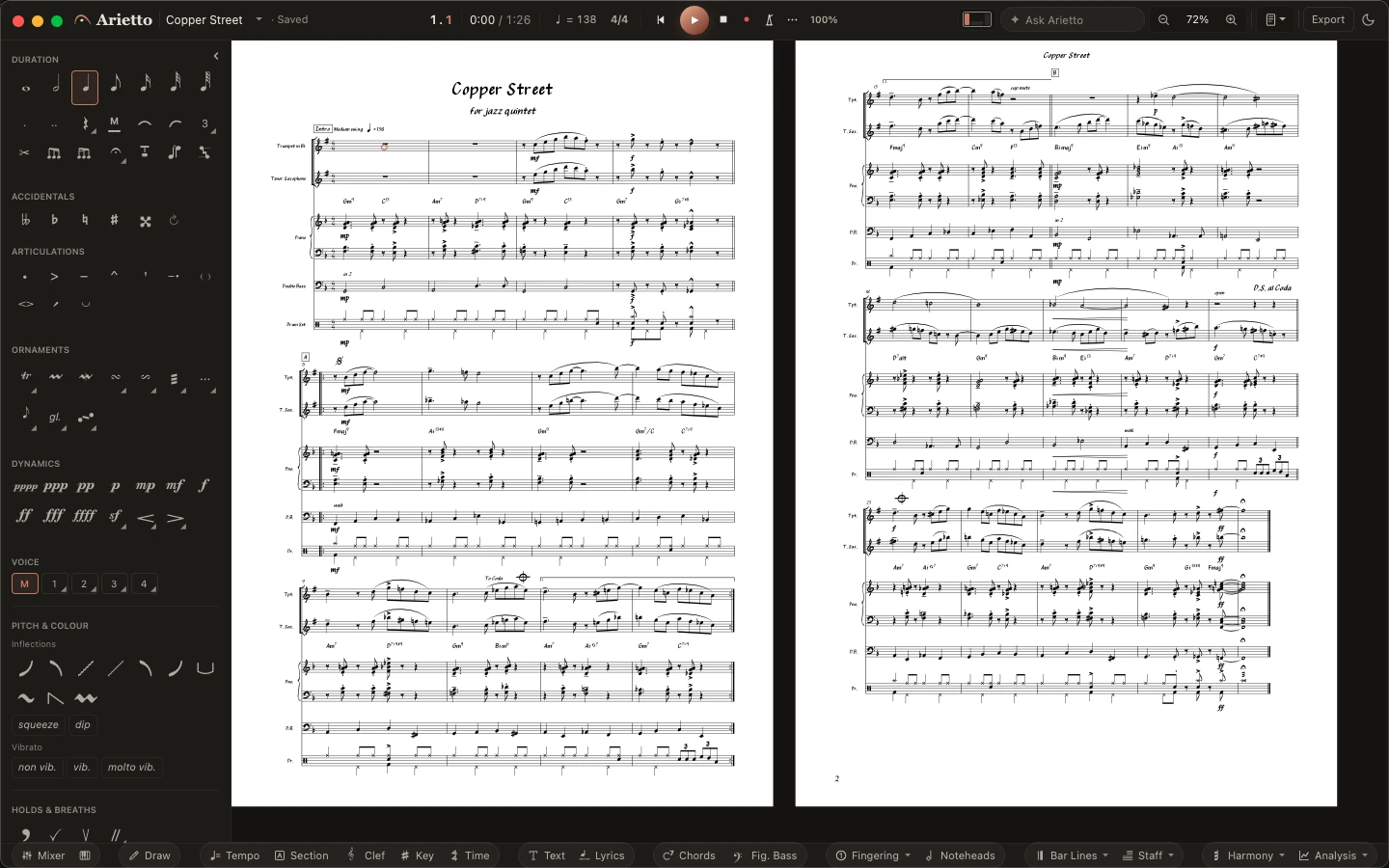
Charts in a copyist’s hand.
A quintet chart in the handwritten style: chord symbols with their tensions, a walking bass, kicks lined up with the horns, a segno and a coda.
Parts
Parts, ready when the score is.
Every player's part comes from the score you are writing, laid out as pages of its own.
Hearing
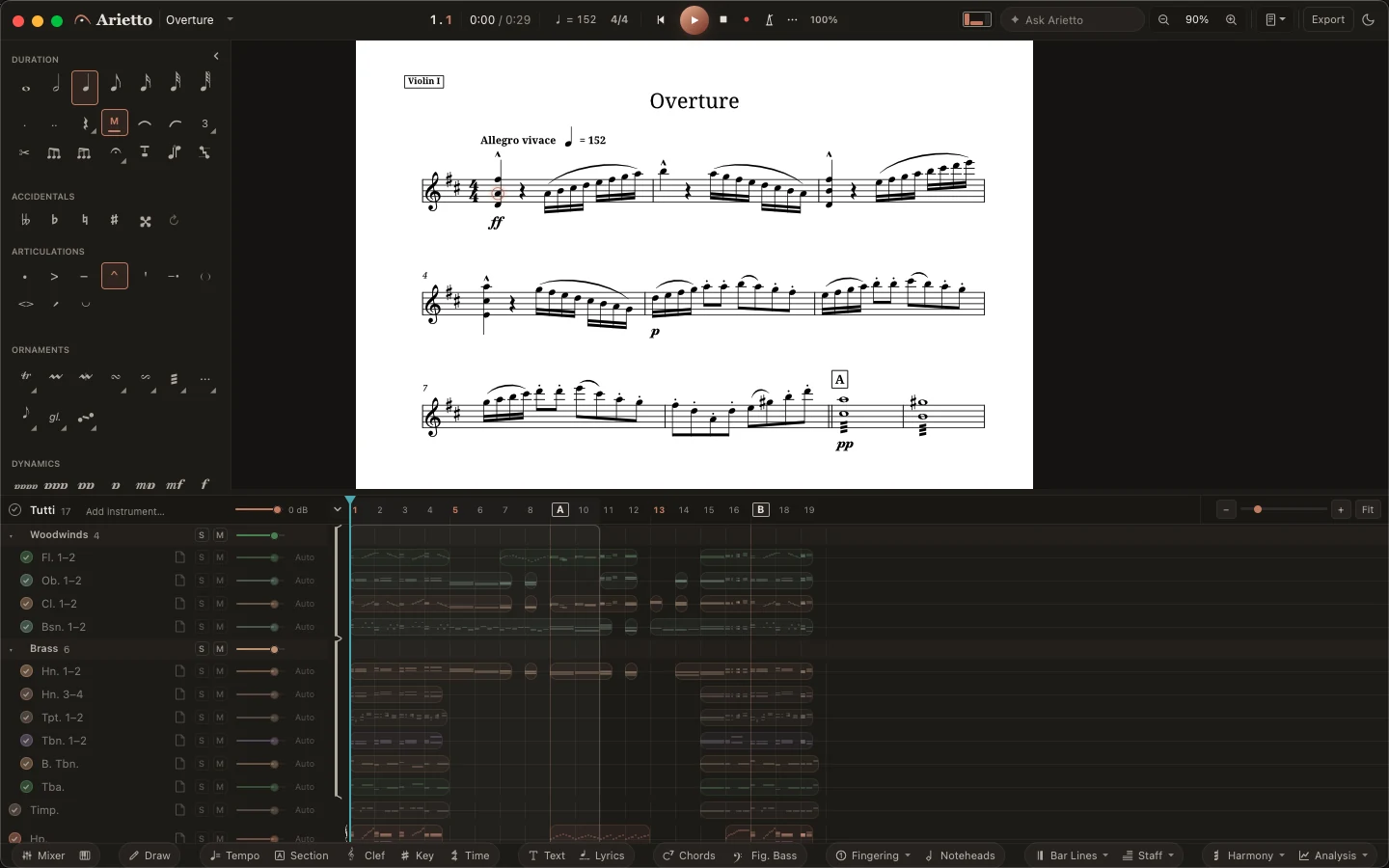
Hear it as you write it.
Sampled instruments, a mixer and a hall come with the program. The keyboard view lights every sounding key.
Mallets
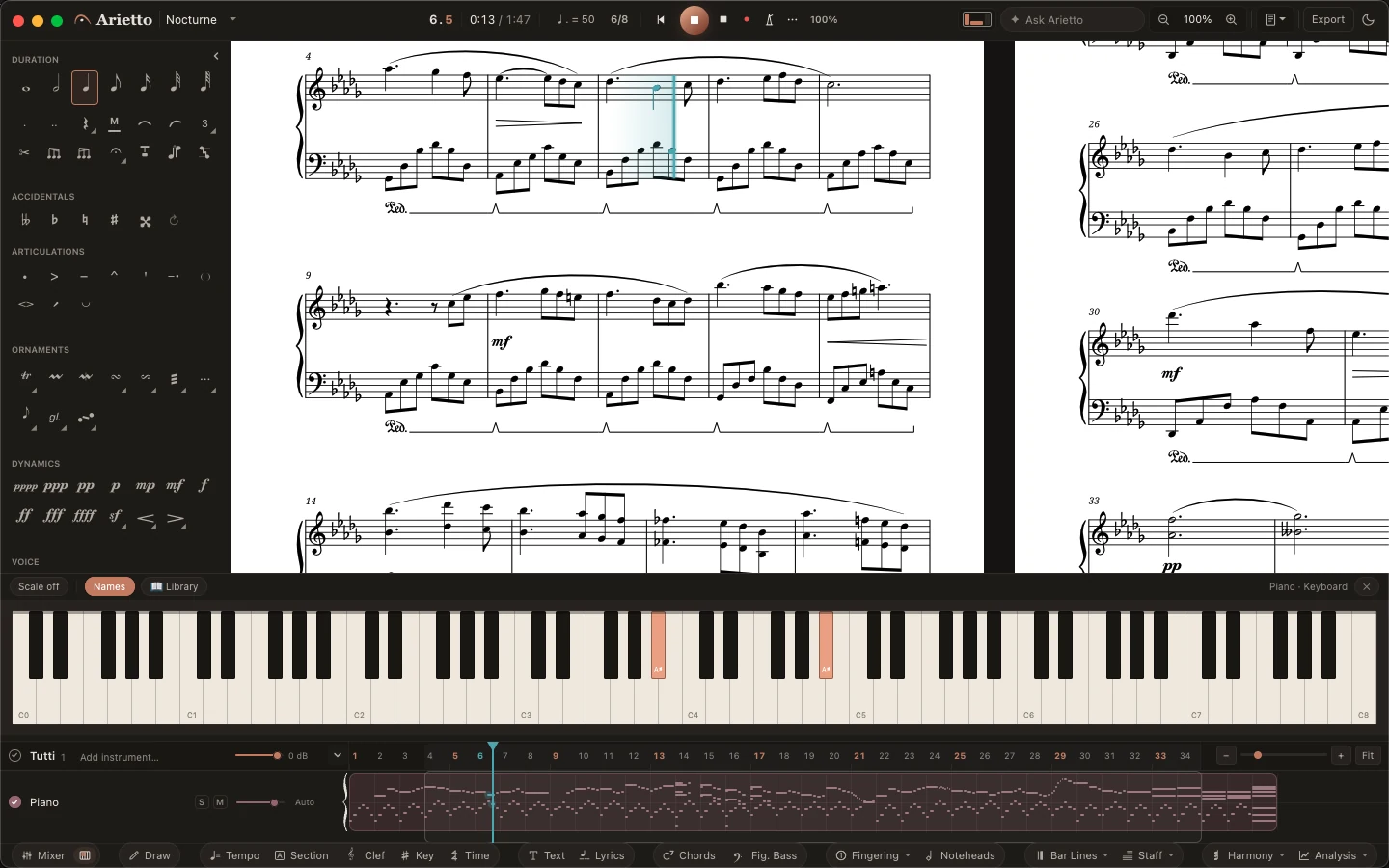
Every bar lights as it sounds.
A four-mallet vibraphone piece with its pedal lines. The instrument view lights each bar as the mallets strike it.
Instruments
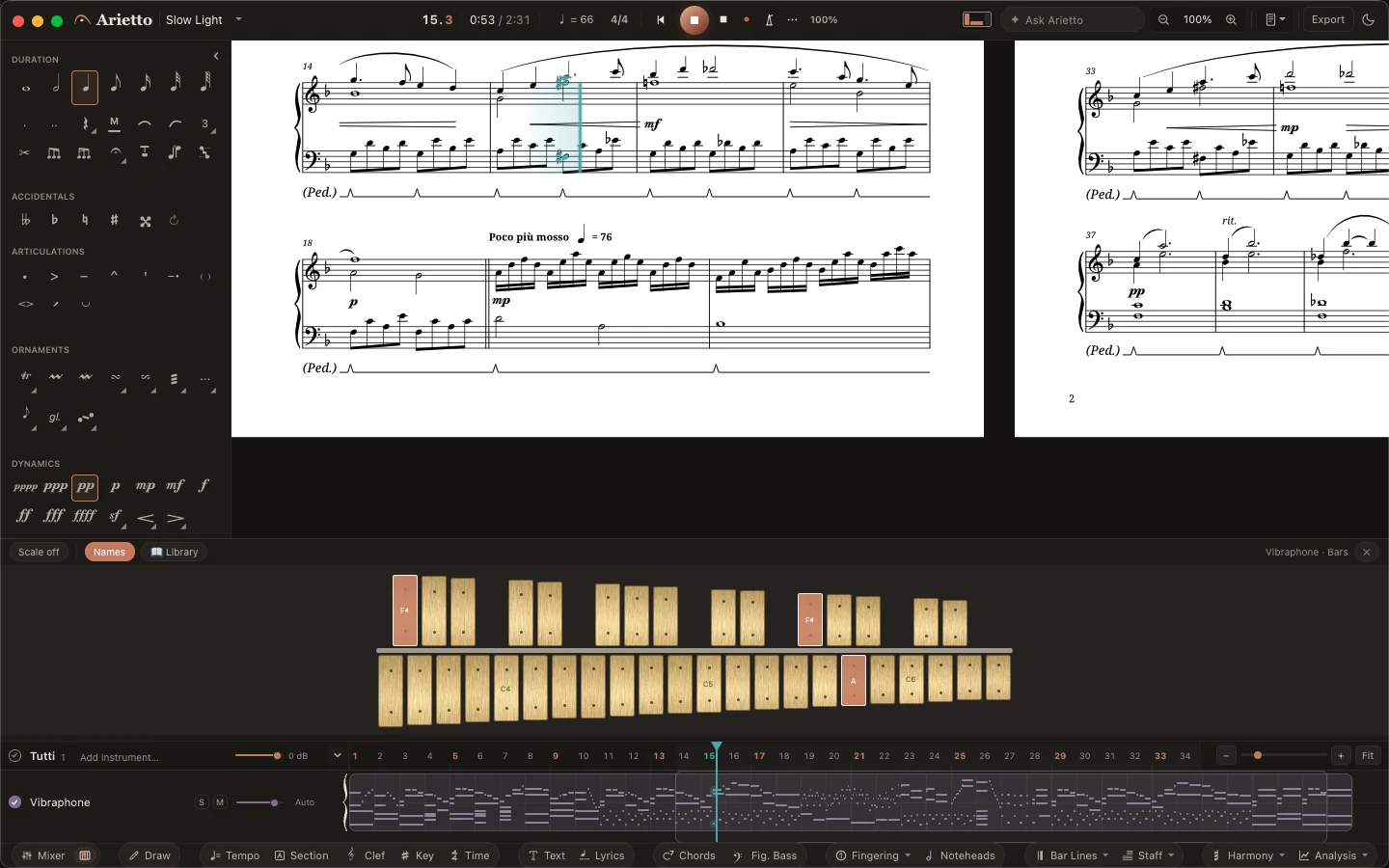
Every instrument, the way its players read it.
Tab linked to the notation in both directions, string numbers and harmonics, and the fretboard as it plays.
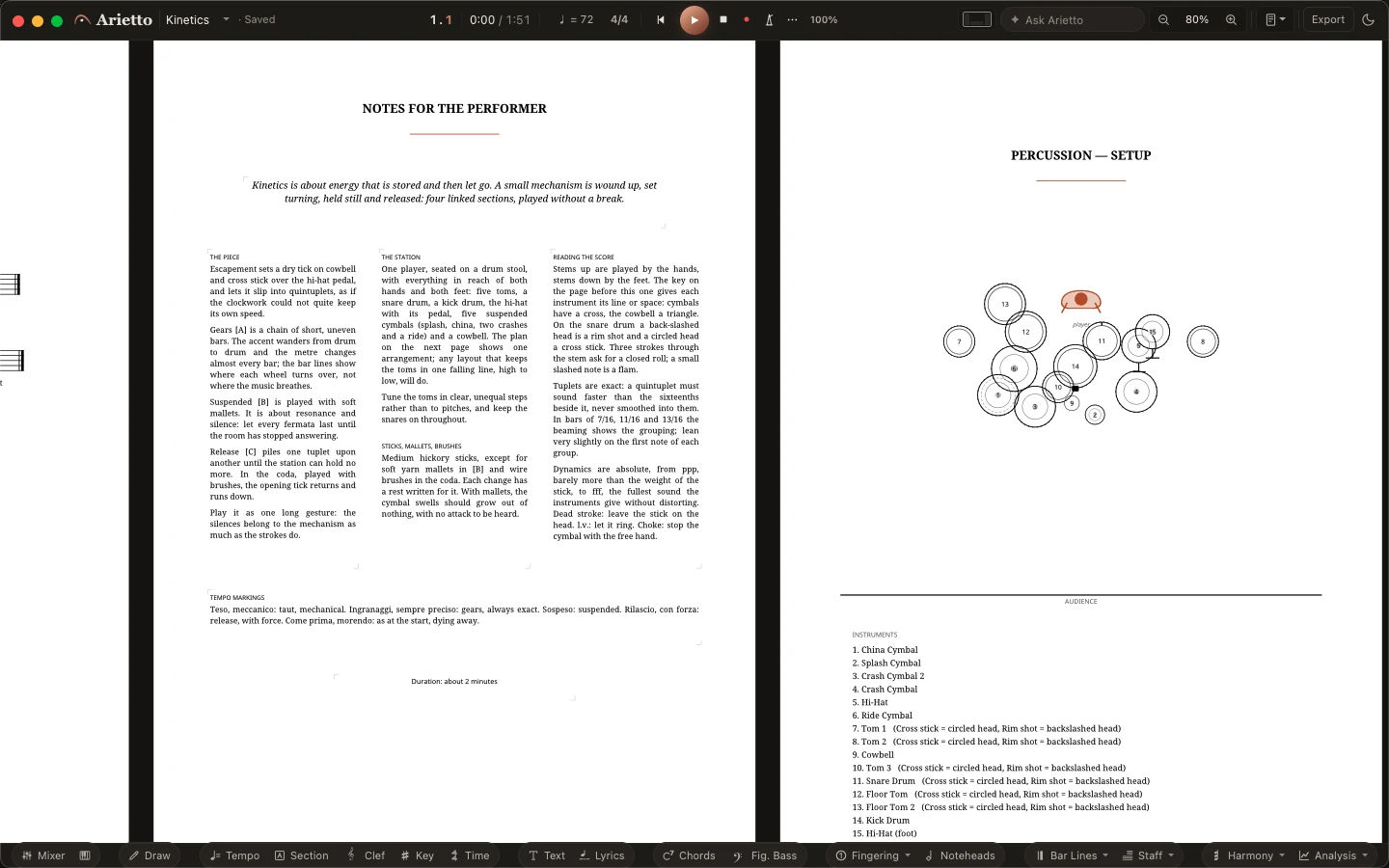
Percussion
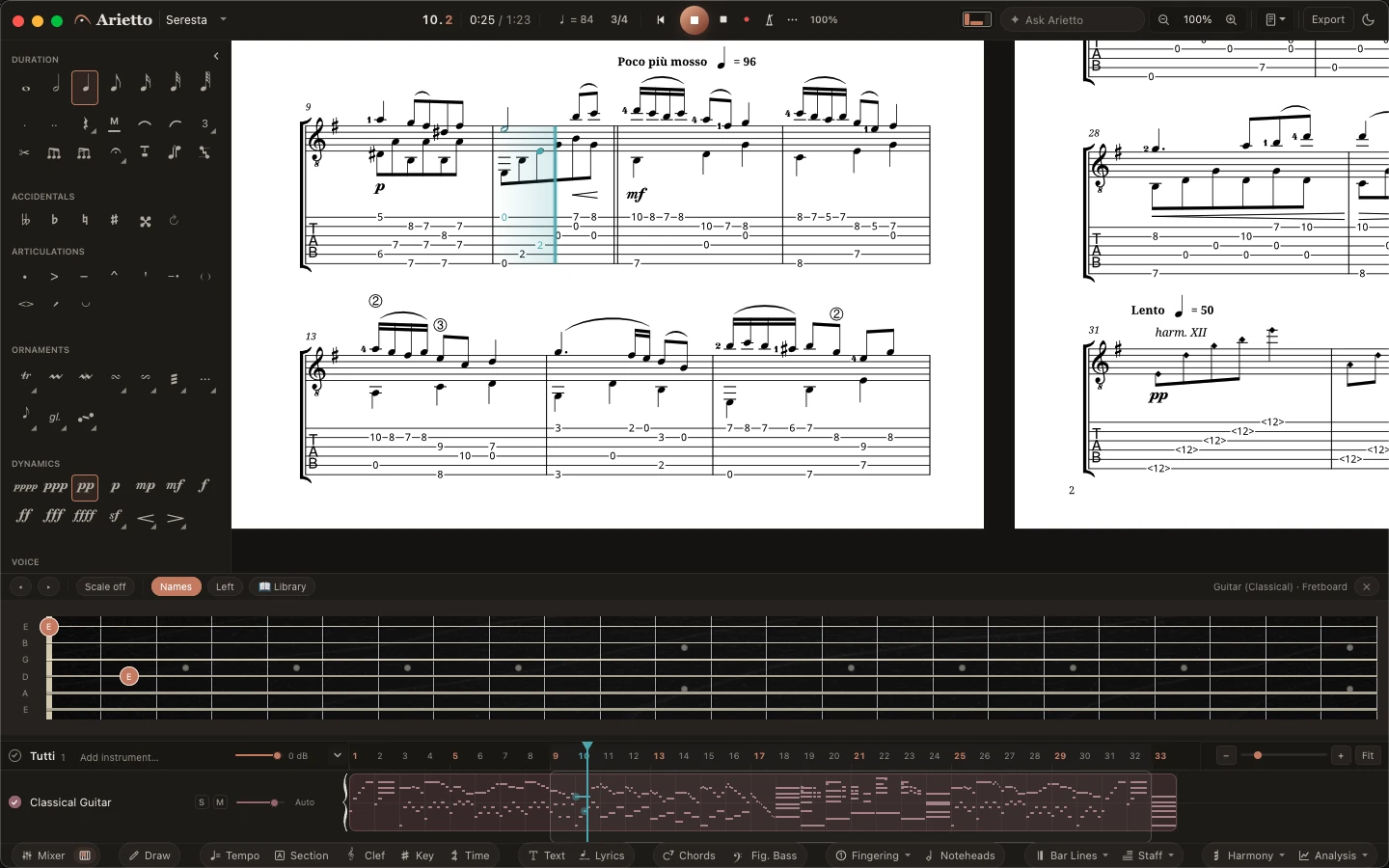
The setup, drawn from your kit.
A percussion solo with its station drawn from above and every instrument listed, and the notes for the performer set in columns.
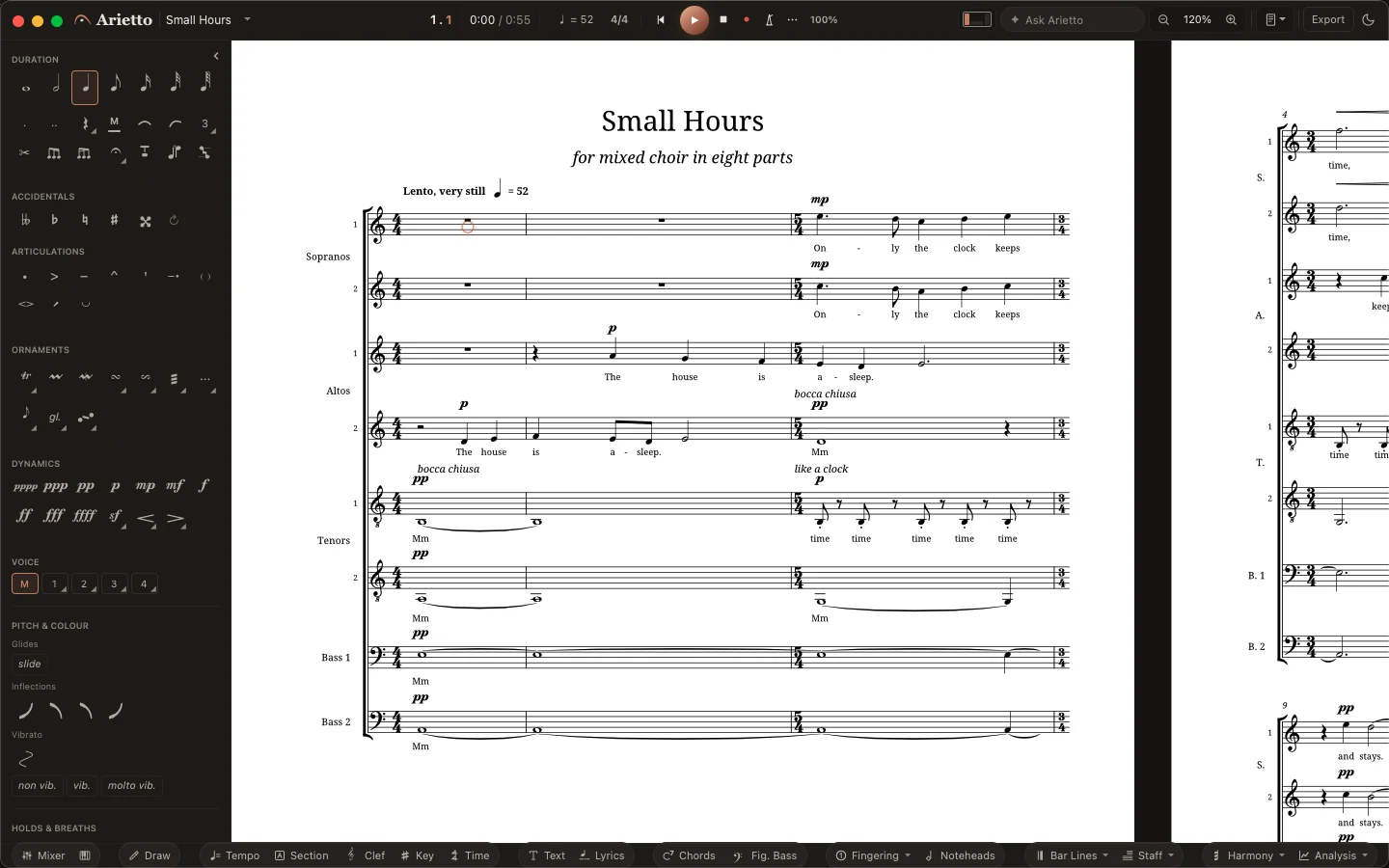
Voices
Words under every voice.
Text set syllable by syllable under each part, dynamics above the staff where singers look for them.
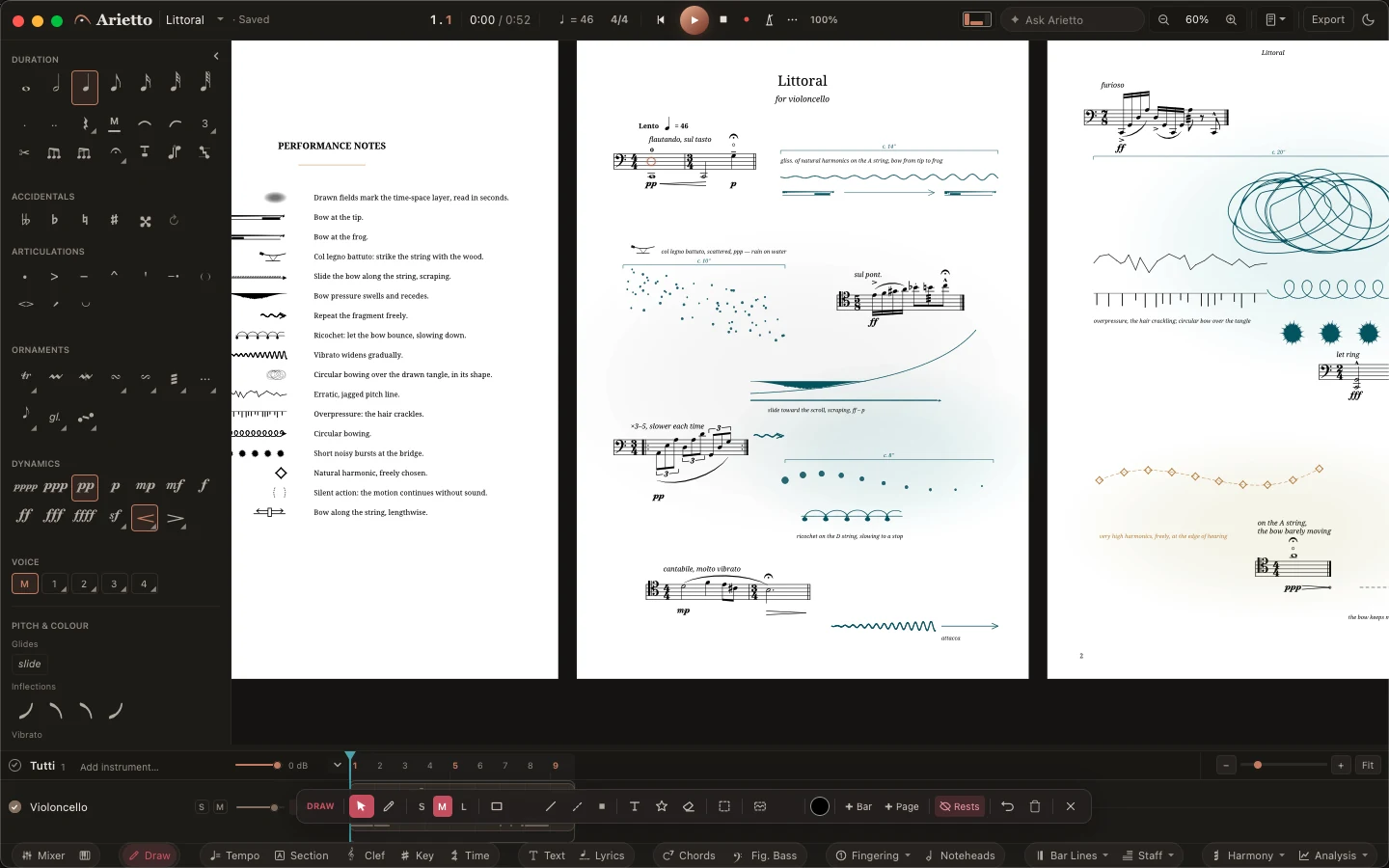
New music
Measured, free and drawn, on one page.
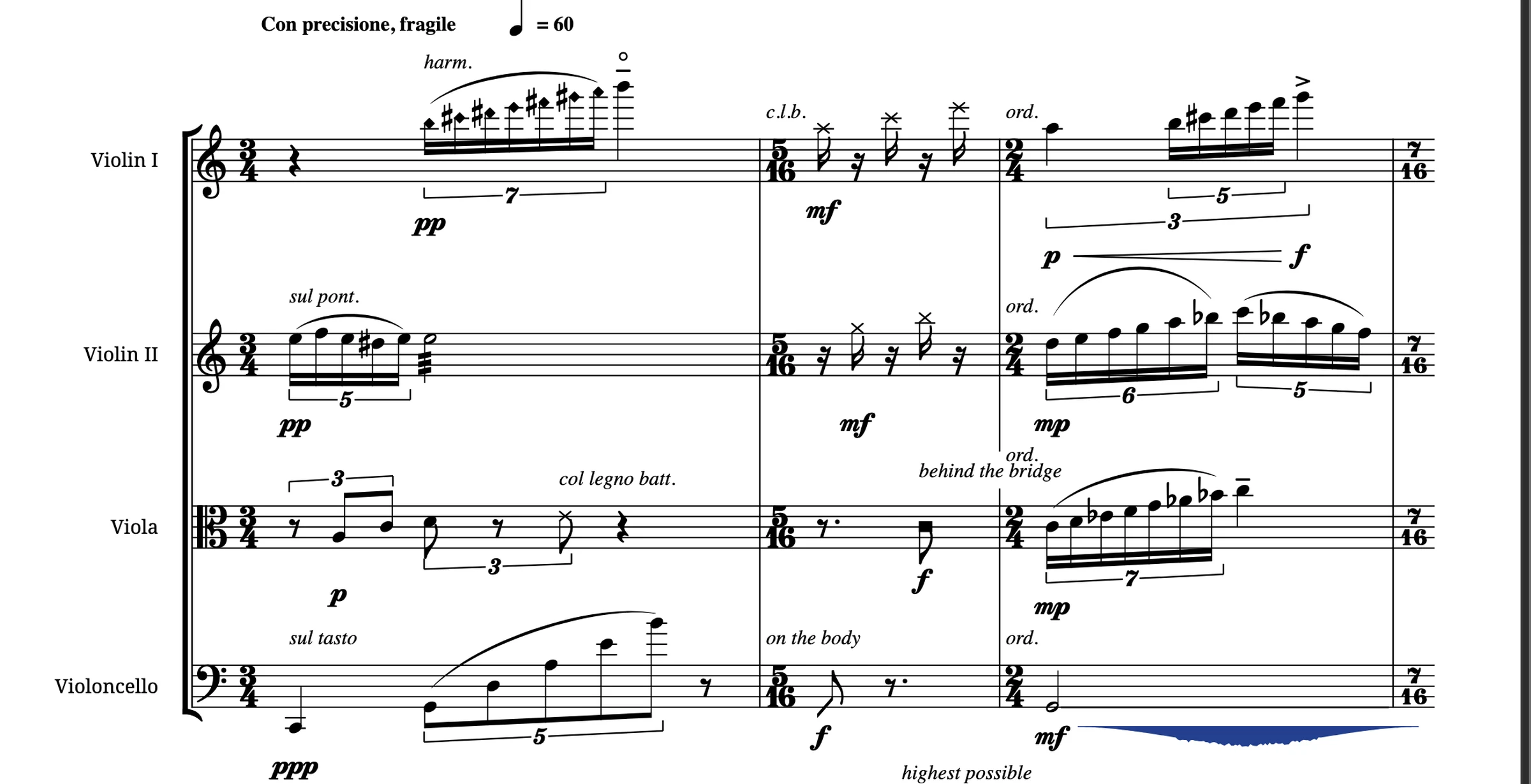
Graphic signs timed in seconds between notated fragments, time-space notation, and boxes the players repeat freely.
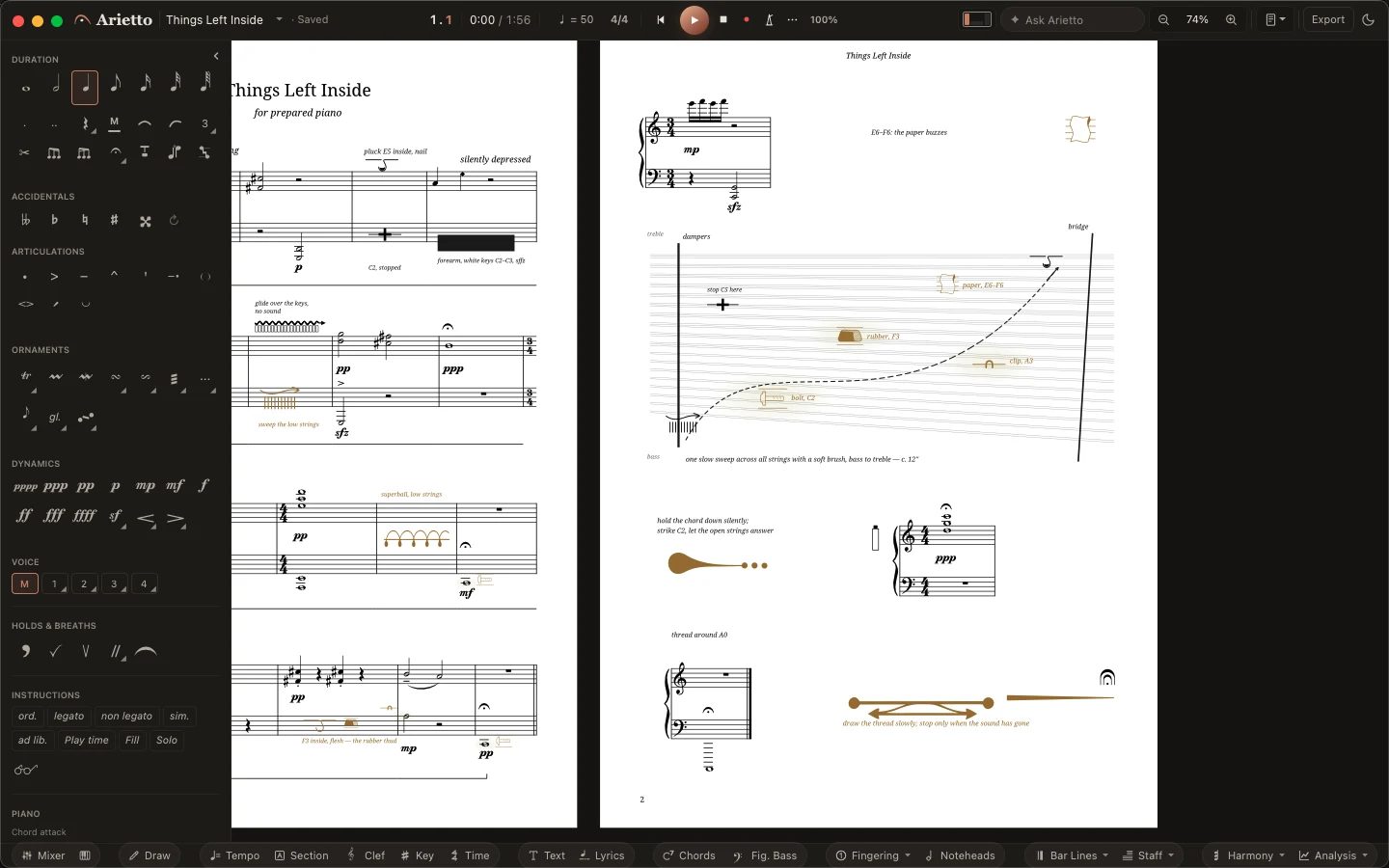
Extended techniques
Inside the piano, on the page.
Objects on the strings, a sweep drawn across the page and timed in seconds, and every instruction set where it happens.
The edition
From the cover to the last bar.
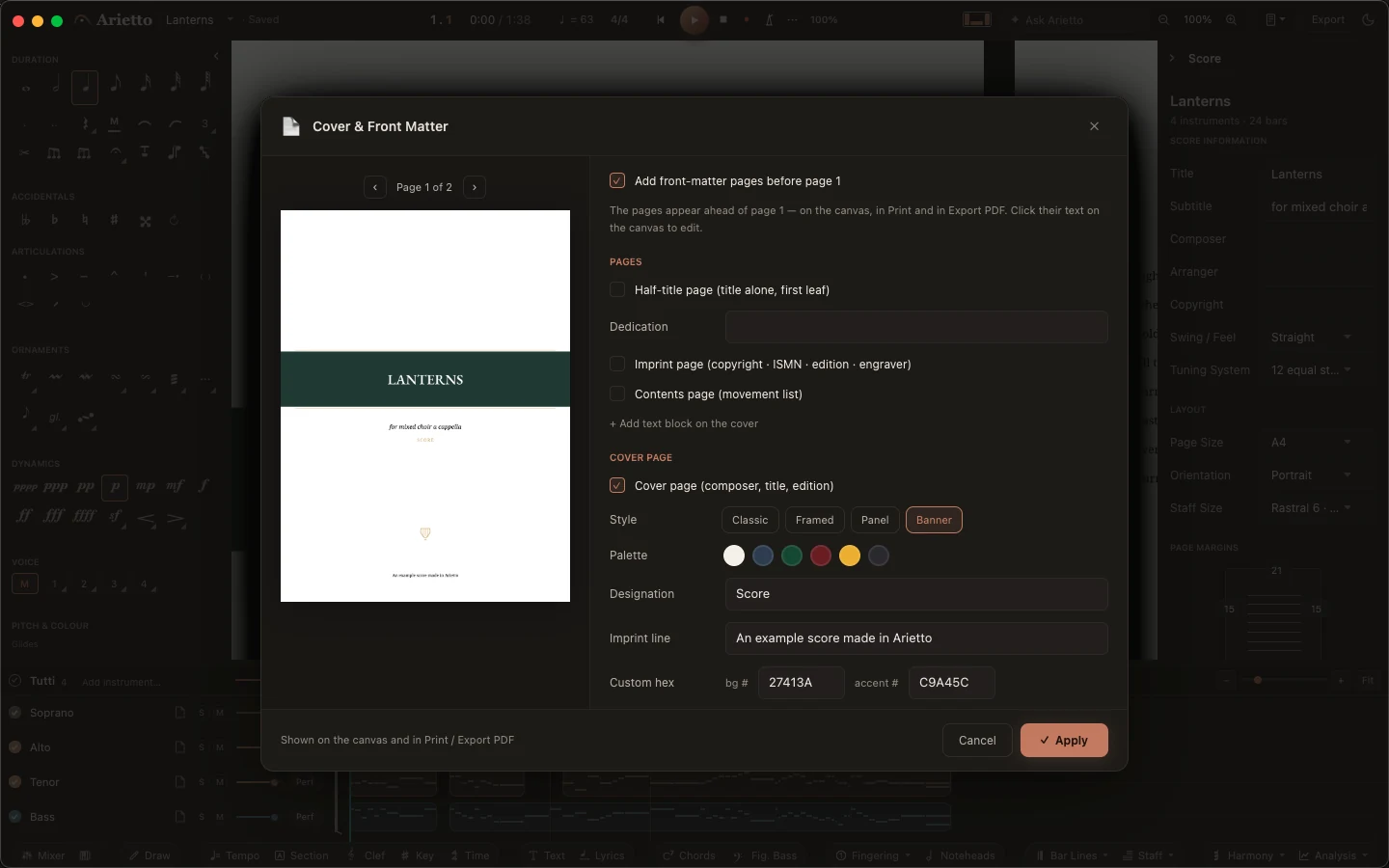
Title page, imprint and contents, built from the score and set in its typography. The cover comes classic, framed, as a panel or with a banner.

The program
Everything in one window.
Score, parts, sound and every instrument in the same place. There is nothing to switch between, and nothing to set up before you start writing.
- Parts, ready when the score isEvery player's part comes from the score you are writing.
- Every instrument, the way its players read itGuitar tab linked to the notation, drum kits laid out the way drummers expect, transposing instruments in written or sounding pitch.
- From the cover to the last barTitle page, instrumentation list and preface, built from the score and ready to print.
From sketch to stand
One evening to learn. Years to write in.
- 01 · WriteNotes, chords and rests from the keyboard, in one mode.
- 02 · Shape the pageMove anything you like. It stays where you put it.
- 03 · Hear itCheck a balance or a voicing as you write.
- 04 · Hand out the partsPrint, export PDF, MusicXML, MIDI and audio.
How it will be sold
Buy it once, or subscribe.
Version 1.0 is still ahead, so take this as a promise made in public.
A purchase includes a year of updates. After that, updating is up to you, and what you bought keeps working.
Activate once, online. After that there is no account and no log-in, and Arietto works offline.
If a licence check fails or a subscription ends, Arietto still opens, prints and exports everything you wrote.
MusicXML and MIDI in and out, PDF and audio out. Your music can always leave with you.
The closed beta
Small on purpose.
Every application is read by the person who built the program, and you will hear back either way. Everyone who takes part and sends feedback gets a free licence for Arietto 1.
Apply for the closed betaQuestions
Everything you need to know.
About Arietto and the closed beta.
What is Arietto?
Music notation for the Mac. You write, shape the page and listen in the same window, and the parts are ready when the score is.
Who is the closed beta for?
Professionals and amateurs alike. The group is put together so that every kind of music gets written: orchestra and band, choir, chamber music, piano, guitar, drums, jazz and teaching.
What do I get for taking part?
Arietto before anyone else, updates as they are built, and a direct line to the person who wrote it. Everyone who takes part and sends feedback gets a free licence for Arietto 1, the same licence people buy.
What do I need?
A Mac with macOS 13 or later.
Can I bring my existing scores?
Yes. Arietto reads and writes MusicXML and MIDI, and exports PDF and audio.
How will Arietto be sold?
Buy it once or subscribe. A purchase is yours for good and includes a year of updates; a subscription includes every update while it runs. Either way, Arietto never locks you out of your music.


Be among the first
to write in Arietto.
The closed beta opens this autumn for macOS.
Apply for the closed beta